Productivity
10 tools every remote team should try this year
By the editors · 6 min read
The AntiAdBlock Core script detects when a visitor lands on your site with an ad-blocking extension turned on. When that happens, a notice asks them to turn it off for your site to keep browsing. Visitors who do see your ads again, and you win back revenue you are losing today to people who browse with an ad blocker.
Every browserDesktop and mobile
01
Visitor with an ad blocker
Their extension hides every ad on the page.
02
Lands on your site
The page loads, the ad slots stay empty.
03
We ask them to turn it off
Detected in the browser, the notice appears.
04
They turn it off
They switch the blocker off for your site.
05
Browsing resumes
The notice goes away and the ads load.
06
You win back the revenue
Impressions you were losing, paid again.
Start winning back the revenue you are losing on your site today. Just follow these steps:

What publishers ask before adding adblock detection to their site.
The script runs in your visitor's browser and checks several signals at once to tell whether ads are being blocked by an extension, by the browser itself (like Brave Shields) or at network level. When it finds a blocker, it shows a notice asking the visitor to turn it off for your site. When they do and press "I've disabled it", it checks again, lets them in and counts a recovery. The demo above shows the whole flow, and our adblock detector page goes into the detection itself.
AdBlock, AdBlock Plus, uBlock Origin, uBlock Origin Lite, AdGuard, Ghostery and Brave Shields, in Chrome, Firefox, Edge, Safari, Brave and Opera, on desktop and mobile. Blocking done at network level (Pi-hole, AdGuard DNS, NextDNS and similar) is detected too and shown separately in your dashboard.
Yes. By default the notice works as a wall: visitors with a blocking extension have to turn it off for your site to keep reading. For visitors blocked only at network level you can make it dismissible instead. And if you prefer to show nothing, the Detection API (Max and Business plans) hands the result to your own code so you decide what happens.
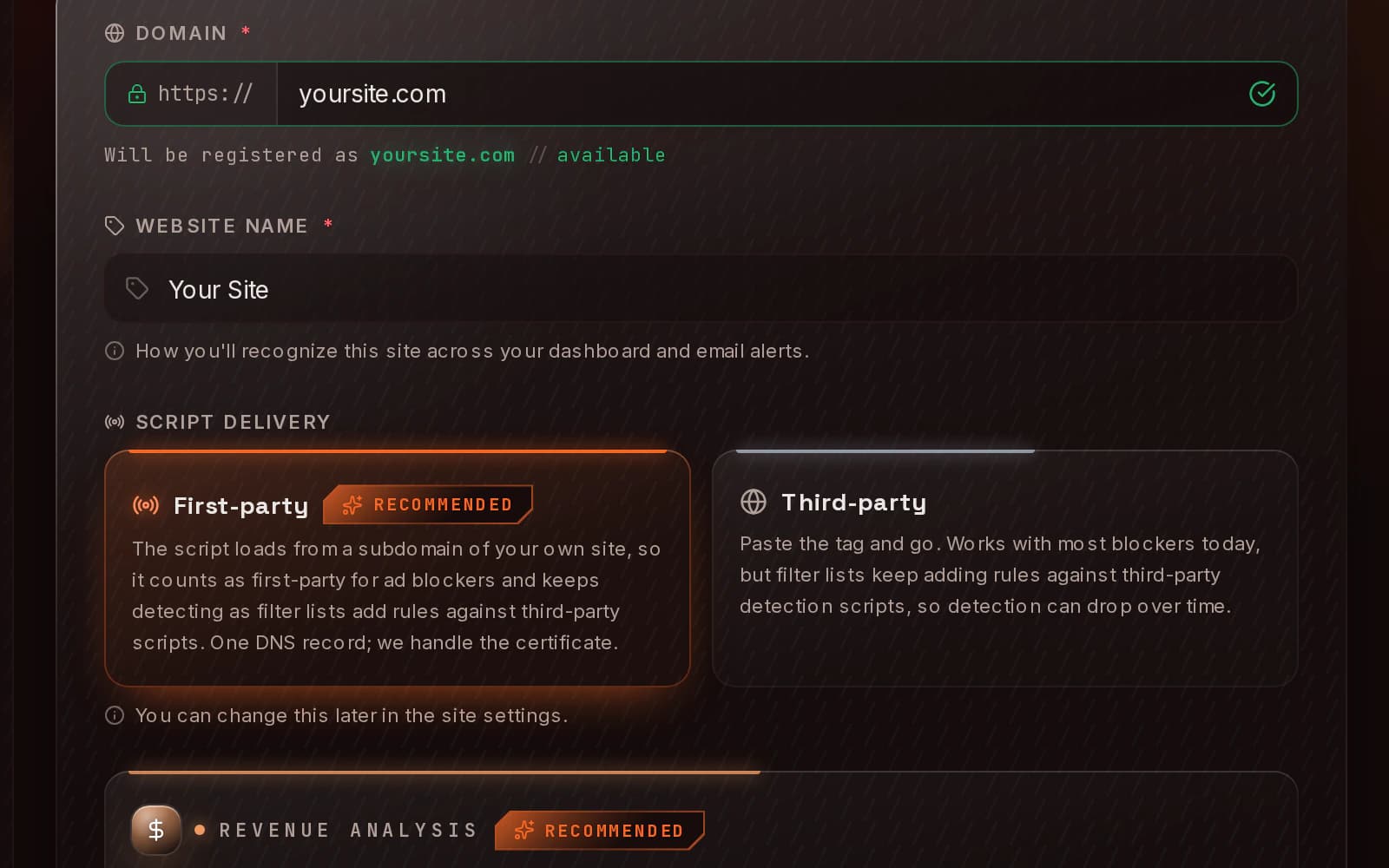
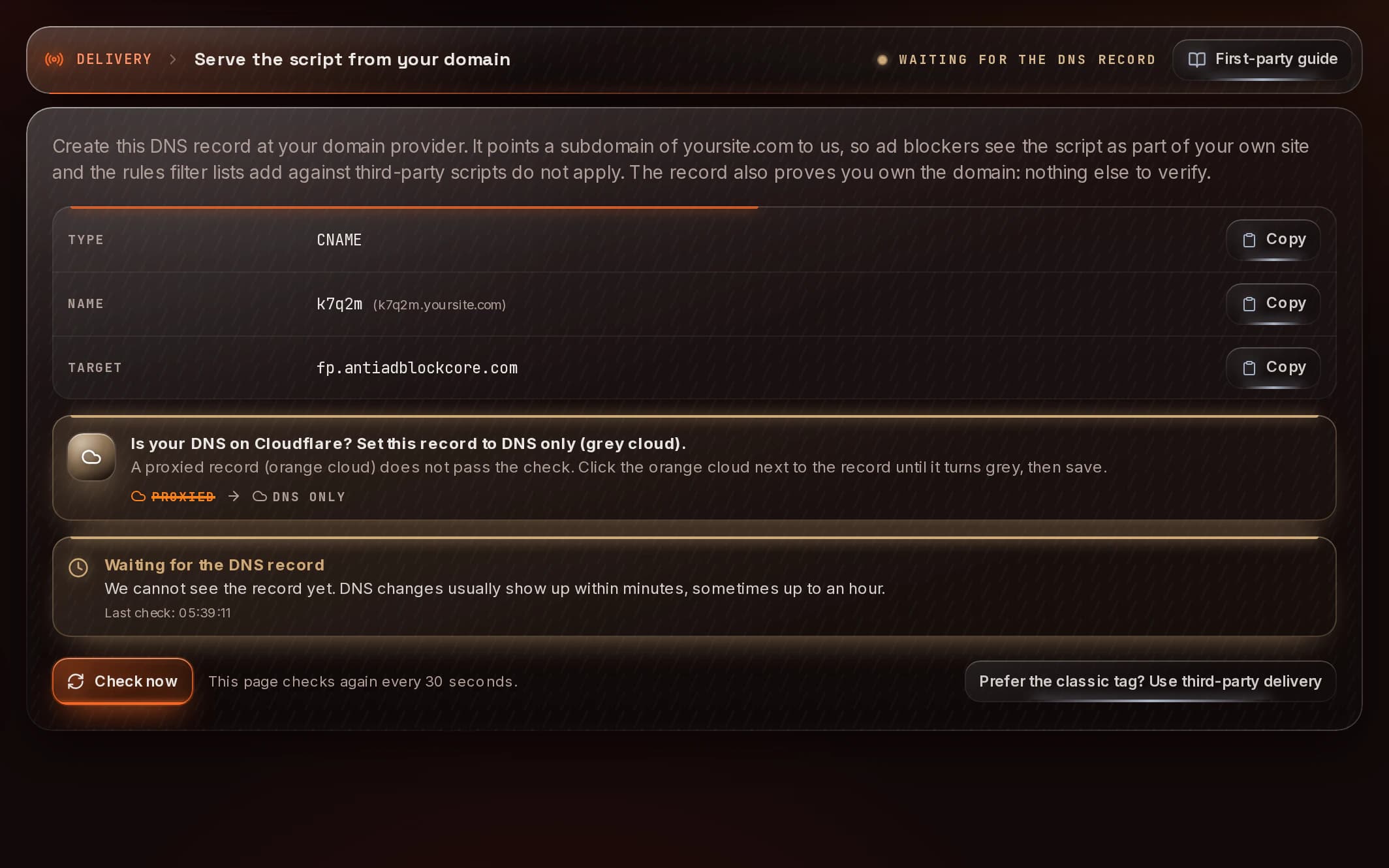
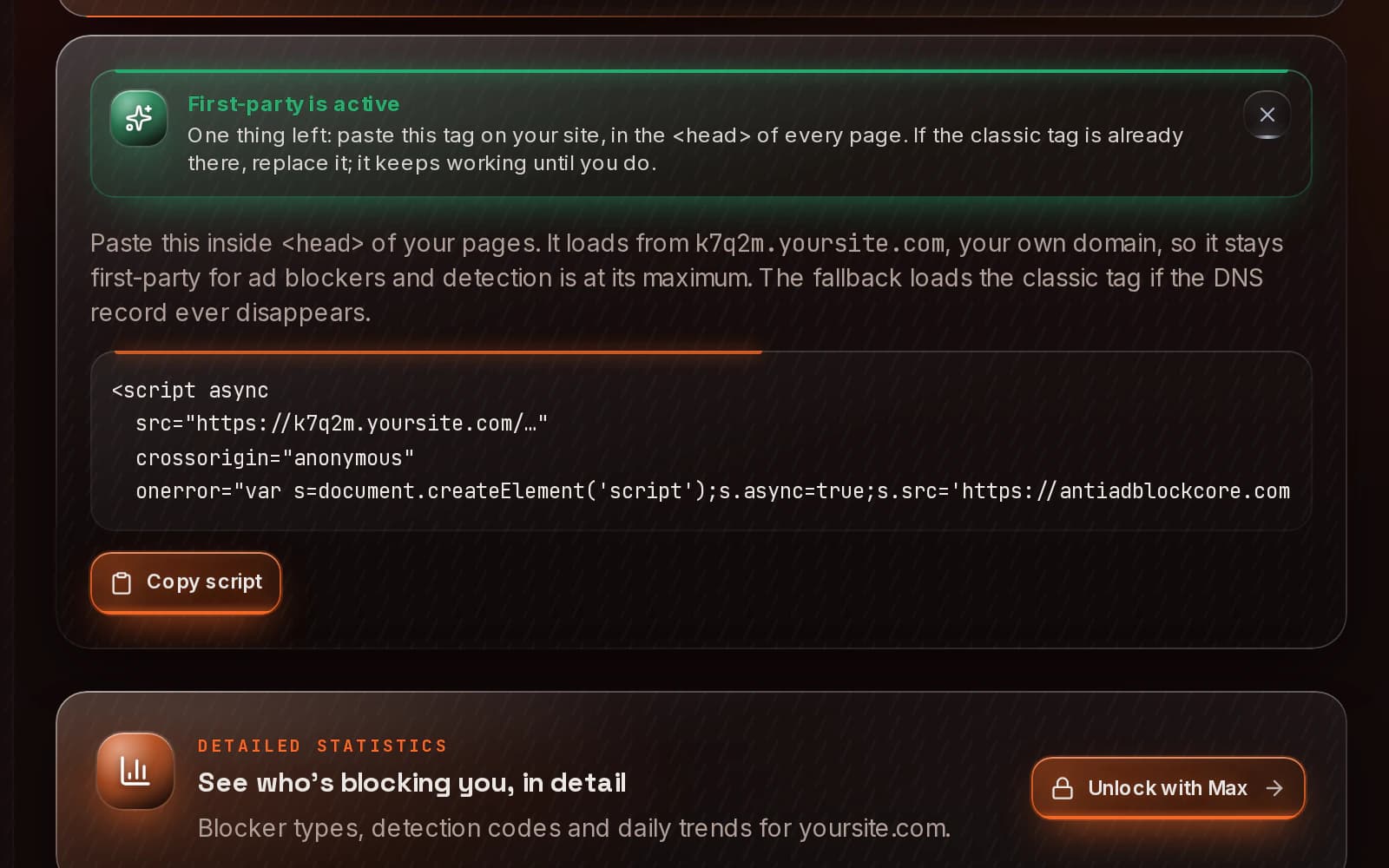
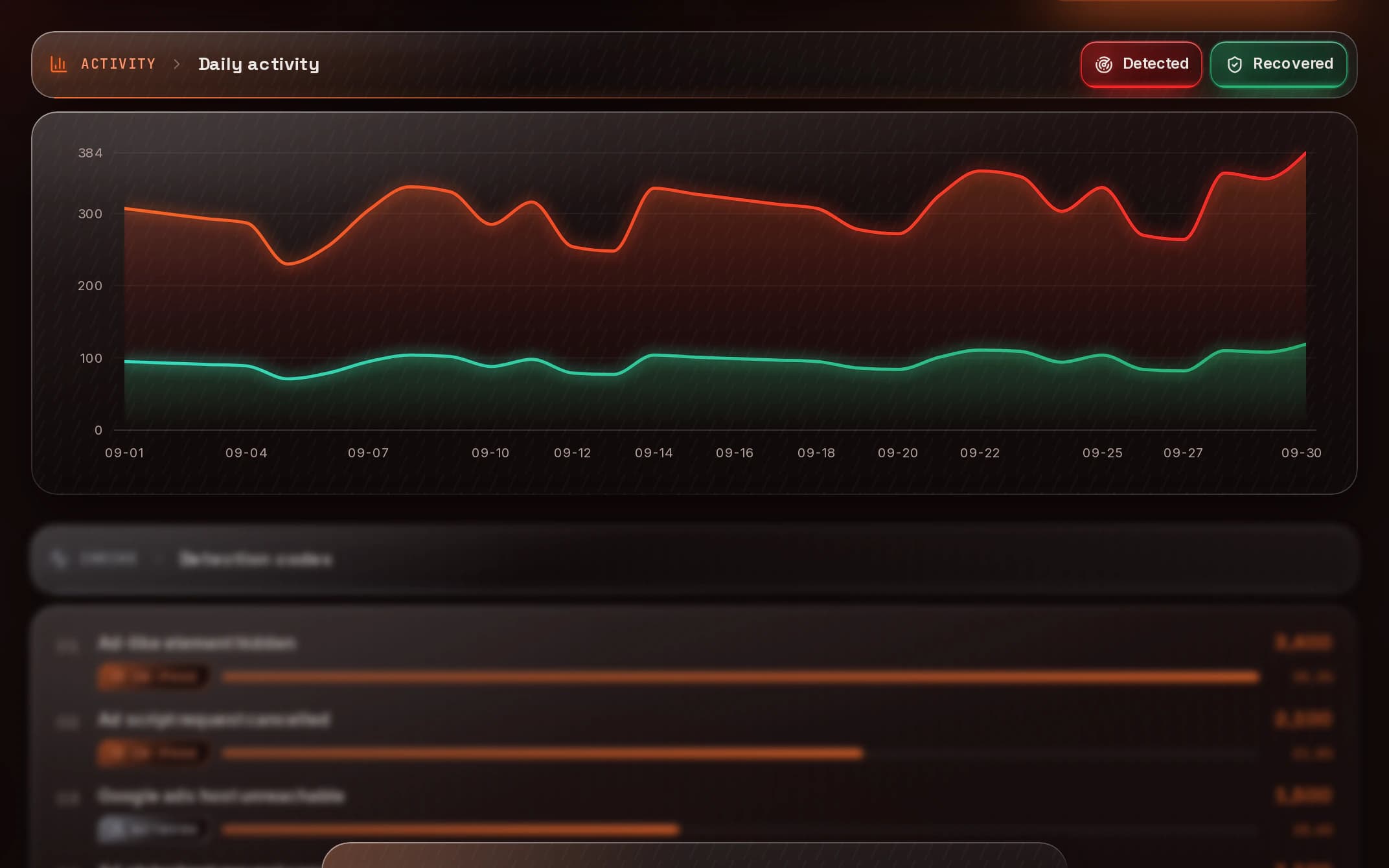
Usually a few minutes of your time: create a free account and confirm your email, add your site and keep first-party delivery, add the CNAME record the panel gives you and paste the script tag in your <head>. The DNS record tends to go live within minutes, sometimes up to an hour, and the panel checks it for you. Then detections arrive in your dashboard in real time. The steps above show each screen.
It serves the script from a subdomain of your own site, through a CNAME record that points to us, instead of from our domain. Filter lists keep adding rules against third-party detection scripts, so loading from your own domain keeps detection at its best. It comes selected when you add a site and the same record verifies your domain. If you prefer, choose third-party and verify the domain with a meta tag, a file or a TXT record.
Yes, there is a free plan: 5,000 detections a month on one site, with no payment method and no time limit. Only page views with an ad blocker count as detections; page views without one do not. If you reach the limit, detection pauses until your next cycle and nothing on your site breaks. Paid plans start at $5 a month: see pricing.
Yes. On WordPress, our WordPress plugin connects your site with a code and adds the tag for you; with first-party delivery, once your DNS record is active. On any other platform (Blogger, Ghost, Webflow, Shopify, Next.js or hand-written HTML) you paste one script tag in your <head>. AMP pages are not supported.
Yes, nothing changes on that side. AntiAdBlock Core only decides whether to ask a visitor to turn off their blocker; it never serves, reinserts or edits ads. Once the blocker is off, the ads you already run (AdSense, Google Ad Manager, Mediavine, Ezoic or any other) load on their own.
The notice speaks your visitor's language (English or Spanish) on its own. From the Pro plan you can set your accent color and a transparent or solid backdrop, and from Max you can add your logo and your own message.
No. The script loads asynchronously with no dependencies, runs after your content is on screen and is never a render-blocking resource. If our servers ever fail to respond, it simply does nothing.
No. The notice only appears when an ad blocker is confirmed; when there is no certainty, nothing is shown and the page works as usual.
It uses no tracking cookies, no fingerprinting and no visitor identifiers, and our statistics keep daily totals only. Like any web server, ours sees the visitor's IP address: we use it in transit, and it is kept only in server logs that are deleted after 14 days. The script keeps a few timestamps with no identifier in your site's own storage, which expire after 30 days; we recommend mentioning them in your privacy policy.
They press "I've disabled it", the page reloads and the script checks again. If the blocker is gone, the notice no longer shows, your ads load and the visit counts as a recovery in your dashboard. That visitor is not asked again.